NEW
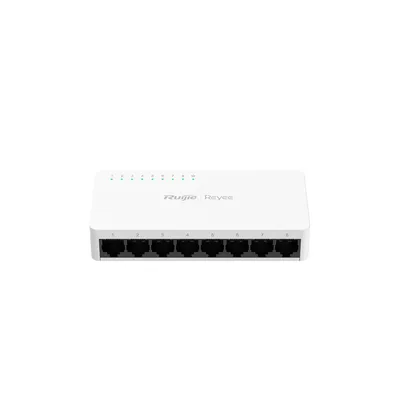
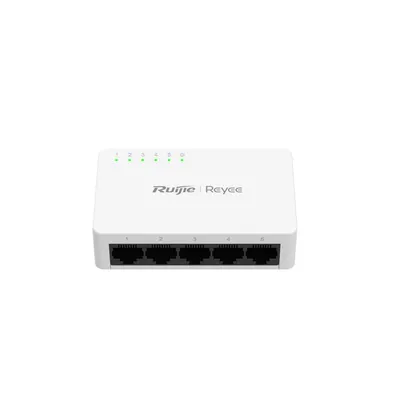
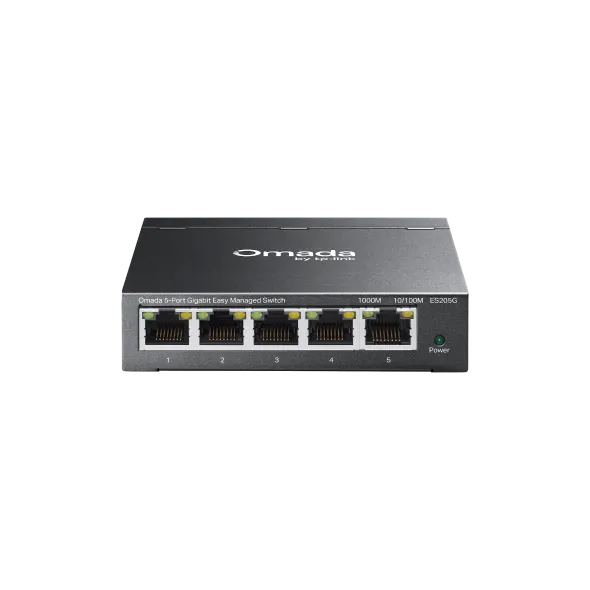
Tp-Link ES205G
Omada 5-Port Gigabit Easy Managed Switch
Fast delivery
100% guarantee
Convenient payment
Key specifications
Switching Capacity 10 Gbps
Jumbo Frame 15 KB
MAC Address Table 8 K
Packet Buffer Memory 4 Mbits
Packet Forwarding Rate 7.4 Mpps
Fan Quantity Fanless
All specifications →
Information
Specifications
Reviews (0)
Tp-Link ES205G — network switch.
We deliver across Tashkent and Uzbekistan. To confirm the price and availability, press "Request price" or give us a call.
Others
Environment
Operating Temperature: -5℃~40℃ (23℉~104℉); Storage Temperature: -40℃~70℃ (-40℉~158℉); Operating Humidity: 10%~90% non-condensing; Storage Humidity: 5%~90% non-condensing
Certification
FCC, CE
Package Content
ES205G; Power Adapter; Mounting Feet; Installation Guide
Performance
Jumbo Frame
15 KB
MAC Address Table
8 K
Switching Capacity
10 Gbps
Packet Buffer Memory
4 Mbits
Packet Forwarding Rate
7.4 Mpps
Hardware Features
Interface
5× 10/100/1000 Mbps RJ45 Ports; AUTO Negotiation/AUTO MDI/MDIX
Fan Quantity
Fanless
Installation
Desktop; Wall Mount
Power Supply
AC/DC Adapter (Input: 100-240V AC; Output: 5V DC/0.6A)
Surge Protection
±6kV
Physical Security Lock
Yes
Dimensions ( W x D x H )
3.9 × 3.9 × 1.0 in (100 × 98 × 25 mm)
Software Features
VLAN
802.1Q Tag VLAN; - Max 32 VLAN Groups; - 4K VID
L2 Features
Link Aggregation; - Static Link Aggregation; - Up to 2 aggregation groups and up to 4 ports per group; Loopback Detection; Flow Control; - 802.3x Flow Control; Mirroring; - Port Mirroring; - One-to-One; - Many-to-One; - Ingress/Egress/Both; Port Statistics; - Port Mirror Status; - Traffic Statistics; 802.1ab LLDP
L2 Multicast
IGMP Snooping; - IGMP v1/v2/v3 Snooping; - Fast Leave
Quality of Service
Port-based/802.1p/DSCP QoS; 8 Priority Queues; Priority Schedule Mode- WRR (Weighted Round Robin); Queue Weight Config; Bandwidth Control; - Port-Based Rating Limit; Storm Control; - Multiple Control Modes (kbps/pps); - Broadcast/Multicast/Unknown-Unicast Control; △
Transmission Method
Store-And-Forward
Management Features
Omada App
Yes. Requires the use of Omada Hardware Controller, Omada Cloud-Based Controller, or Omada Software Controller.
Cloud Access
Yes. Requires the use of Omada Hardware Controller, Omada Cloud-Based Controller, or Omada Software Controller.
Management Features
Web-based GUI; DHCP Client; Cable Diagnostics; ONVIF***; Automatic Device Discovery; †; Batch Configuration; †; Batch Firmware Upgrading; †; Unified Configuration; †
Centralized Management
Omada Cloud-Based Controller (Requires built-in version 6.1.0 or later); Omada Hardware Controller (Requires built-in version 6.1.0 or later); Omada Software Controller (Requires built-in version 6.1.0 or later)
Zero-Touch Provisioning
Yes. Requires the use of Omada Cloud-Based Controller
No reviews yet. Be the first to leave a review!